
Gates of Olympus 2500 on Android and iPhone: full mobile guide
You don't install this slot. You open it in a browser, or inside the casino's own app if the operator has one.
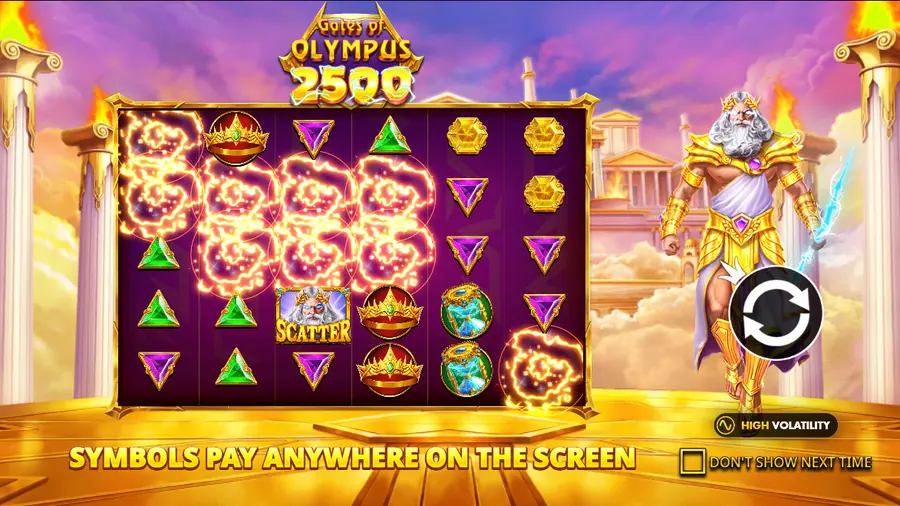
Gates of Olympus 2500 plays in your phone's browser. Pragmatic Play builds it as HTML5, the casino hosts it, you launch it from the lobby. There is no standalone slot app on Google Play or the App Store. If you see an APK offered under the slot's name, walk away; it's phishing. This page walks through what actually happens on Android and iPhone: how to launch it, what the screen looks like, where to find the rules, and how to keep your login from ending up on a fake page.
Do you need to download an app to play on your phone
No. Skip the app store entirely. The slot lives in your browser as an HTML5 build that runs in Chrome, Safari, Firefox, or any modern mobile browser on Android and iOS. The casino hosts it on its own site. You tap the game's card in the lobby and it loads fullscreen within a couple of seconds.
One exception: some operators publish their own native app. Inside that wrapper, the same HTML5 slot appears next to the rest of the lobby. The shell adds biometric login and push notifications; the game itself doesn't change. For mechanics, see the main Gates of Olympus 2500 overview.
Launching the slot on Android and iPhone
The flow looks the same on both platforms: open the operator's site, log in, pick the slot, wait for it to load. Where they differ is the default browser and a few system quirks worth knowing about.
Android: the browser version
Pull up the casino's site in Chrome. Sign in if the session timed out. Pick the slot from the lobby. It opens fullscreen. Done.
A couple of things to check first. Android 8.0 or newer is comfortable; anything older may stutter on the cascade animations. Keep Chrome updated. If the operator has its own Android app on Google Play, the slot shows up inside it automatically; you won't need a second install.
iPhone and iPad: the mobile browser
On iOS, Safari handles the load. Some operators name a different default browser; either way, the site detects the device and resizes the play area to fit the screen's diagonal.
iPads usually open in landscape, with a larger play area. iPhones stick to portrait, controls clustered along the edges. Safari's "Add to Home Screen" drops an icon on your home screen that looks like an app. It's a bookmark to the casino's mobile site, not a separate program. Updates roll out the moment the operator pushes them, no manual install, no App Store review in the loop.
How the mobile interface is laid out
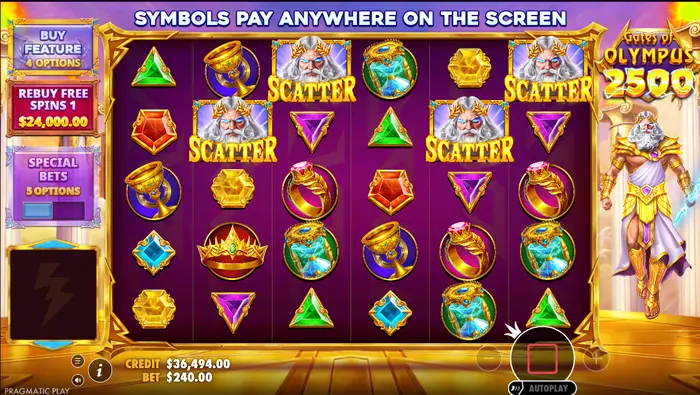
Reels dominate the screen. Below them, the SPIN button sits centered. The bet adjuster ("+" and "−") hugs the left edge; autoplay lives on the right. The "i" icon for rules and the paytable is tucked in the lower-left corner. Sound and spin-speed toggles (normal, quick, turbo) sit on the right.
Screen rotation and field readability
Portrait works on phones. Everything fits on one screen, no scrolling. Tablets get more out of landscape, larger symbols, easier to read the multiplier orbs at a glance. The buttons stay the same size, so pick whichever orientation feels right.
Accessing help and the paytable
Tap "i" in the lower-left. The rules page opens. Page through with the arrows: paytable, cascade description, multipliers, free-spin types, RTP per mode, maximum-win cap. The "✕" button closes it.
Connection requirements and troubleshooting
HTML5 keeps a steady channel open with the casino's server. Stability matters more than raw speed. For the base game, 4G or a healthy Wi-Fi signal is plenty. During a free-spin round with cascading wins, you want a connection that doesn't drop packets mid-chain.
The game won't load or freezes
Walk through this list before contacting support:
- Check the connection. Toggle between mobile data and Wi-Fi.
- Hard-reload the page. Sometimes closing one tab isn't enough.
- Kill background apps to free RAM.
- Clear the browser cache. Chrome: Settings → Privacy → Clear browsing data. Safari: iOS Settings → Safari → Clear History and Website Data.
- Try another supported browser (Chrome, Firefox, Samsung Internet, Safari).
- Confirm JavaScript and cookies are enabled. The slot won't run without them.
Still stuck? Message the casino's support with your device model, OS version, and browser. Hold off on any deposit until the technical issue is resolved; a failed round doesn't charge you, but retrying transactions mid-glitch is a habit worth breaking.
Account and download safety
Stay on the operator's official site or app. Before typing your password, glance at the address bar. Phishing pages copy the casino's interface and swap one letter in the domain. A bookmark saved from your own browser history beats any link from email or an ad banner.
Demo mode on a mobile device
Demo behaves like real-money play. Same interface, same cascades, same free-spin types. The only difference: the balance is virtual, topped up automatically between sessions. That's the point. Try it before risking anything to see how often cascades chain and how the multiplier orbs behave.
Some casinos disable demo in their jurisdiction. A few hide it behind sign-up. Where it's offered, the button sits on the slot's card in the mobile lobby, so you'll know within a tap. For how free play fits into the broader offer, see the section on free play without registration.
Cascades and bonuses on a small screen
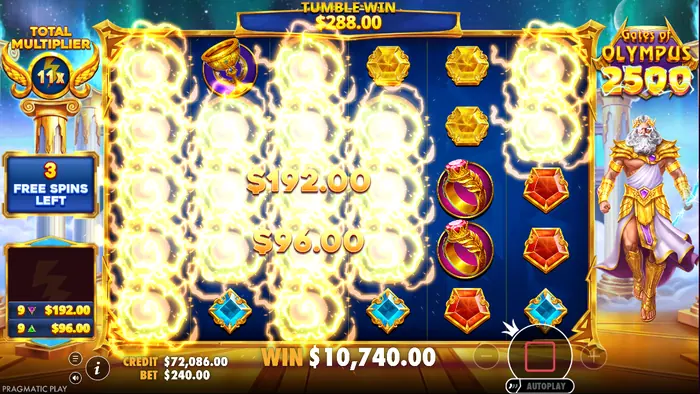
Animations fill more of the screen on a phone. Their meaning doesn't change. A cascade removes winning symbols and drops new ones from above, continuing as long as fresh combinations land. Multiplier orbs drop in at random; when the chain ends, their values sum up and apply to the spin's total payout.
Multiplier and tumble display
Multiplier orbs glow in green, blue, purple, or red. Higher values get more vivid. On a small screen they're easy to miss at first glance; they look almost like regular symbols. The orb appears where a symbol vanished and stays put until the chain ends, so its value keeps adding to the running multiplier.
Scatter and the free-spin counter
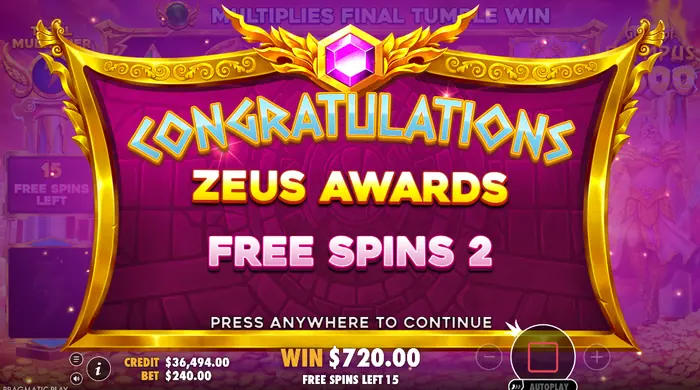
Zeus is the scatter. Four or more anywhere on the screen triggers the free-spin round. The "FREE SPINS LEFT" counter sits to the left of the reels, ticking down as the round plays. The exact number depends on which round landed: regular, Super, or one of the variants with different multiplier behavior.
Mobile site versus casino app: not the same thing
Three ways to reach the slot from a phone. They're not equivalent; the feature set depends on the operator and your region.
| Way in | What it is | What's different |
|---|---|---|
| Mobile browser on the casino's site | Responsive HTML5 page, no install | Always available, works on any modern phone, no push notifications |
| Operator's Android app from Google Play | Native wrapper around the same HTML5 | Adds biometric login, push notifications, sometimes faster re-entry |
| Operator's iOS app from the App Store | Same native wrapper, distributed through Apple | Same extras as Android; Apple's review adds a check the slot's branding is what it claims to be |
The slot itself runs the same code in all three. The shell around it changes: notifications, login flow, lobby layout.
Moving to real-money play on your phone
Once you've gotten a feel for the slot on your device, check a few things before signing up and topping up:
- Confirm the casino holds a license in your jurisdiction. A regulator's logo in the footer with a clickable link is the bare minimum.
- Check the minimum deposit and which payment methods work on mobile. Cards usually clear instantly; bank transfers sometimes need an extra step on a phone.
- Read the bonus terms on the mobile site, not the desktop version. Some operators run mobile-only welcome offers.
- Set a deposit limit at registration. Locking it in before the first top-up is easier than changing it later.
Responsible play on a mobile device
Mobile access is a convenience, and a risk. The slot lives in your pocket, and a session easily becomes background noise that never really ends. A few habits help keep it under control.
- Set the casino's session-time or deposit-limit tools before you start. Adjusting them after a long run is harder.
- Turn on device-level screen-time reminders for the casino's site or app. Both iOS and Android support per-app limits.
- Don't top up mid-session to chase a near-miss bonus. Walk away first. Decide later.
- Keep landscape for when you actually want to play. Portrait suits a quick check; the larger play area in landscape makes sessions run longer than they feel.
FAQ
Can I download Gates of Olympus 2500 as an app on my phone?
No. The slot runs in your browser as an HTML5 build. There is no standalone slot app on Google Play or the App Store, and any APK offered under the slot's name is almost always phishing. On a phone you open the casino's site in a browser, or install the casino's own app if the operator has published one.
Where can I safely get Gates of Olympus 2500 on Android?
Go to your casino's official site in Chrome (or another supported browser) and launch the game from the lobby. If the casino offers its own app, install it only from Google Play or the operator's official site, after verifying the address in the browser bar. Skip any third-party APK page.
Does Gates of Olympus 2500 work fully on iPhone?
Yes. The slot runs on iPhone and iPad through Safari or another compatible browser. Every feature works: cascades, multipliers, free spins, bonus buy, autoplay. The interface adapts to the device's screen, and portrait keeps everything in view on a phone.
Is demo mode available for Gates of Olympus 2500 on mobile?
It depends on the operator and your region. Where demo is offered, a button sits on the slot's card in the mobile lobby. The demo balance is virtual, so what happens there never converts into real money.